This reference covers options shown when creating a new automation. Trigger availability depends on both the selected creator's plan and platform.
Fan just subscribed
Fan purchased a media
Fan subscription expiring soon
Fan subscription expired
Fan resubscribes after break
Fan birthday
Fan comes online
Fan sends a message
Free: Fan just subscribed. AI-generated automation messages are not available.
Pro: adds Fan purchased a media, Fan subscription expiring soon, Fan subscription expired, Fan resubscribes after break, and Fan birthday.
Elite: adds Fan comes online and Fan sends a message.
The current picker labels Fan sends a message as Elite. Existing or imported Pro combinations are outside this creation reference.
OnlyFans: all eight current triggers.
Fanvue: Fan just subscribed, Fan purchased a media, and Fan sends a message.
MYM: no current triggers.
Plan rules still apply to platform-supported triggers. Individual template cards can have their own plan requirement, even when their trigger is available. Templates that are not supported for the selected creator's platform are not shown.
Template cards use shortened chips to summarize their starting flow: the trigger is on the left and the action is on the right. These chip labels may be shorter than the full trigger labels above.
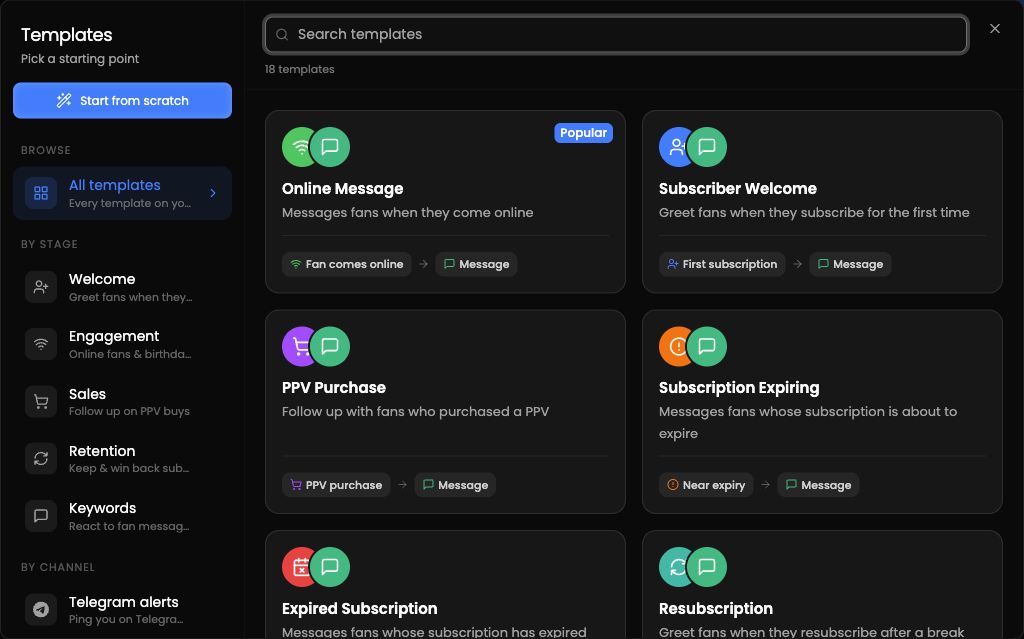
Message: add message content. Depending on the screen, you may see Message, Add Message, or Send Message. AI-generated messages depend on plan availability.
Stop AI: pauses AI replies for the targeted fan and hands control to the team until AI is manually re-enabled.
Notify: select a teammate with a linked Telegram account. Depending on the screen, you may see Notify, Notify Employee, or Telegram notification.
Add to List: select a fan list.
For Fan sends a message, choose Contains or Exact match. Matching is case-insensitive. If you leave the keyword list empty, every incoming message can match.
