Open CRM > Automations for the selected creator. If creation controls are unavailable, ask an owner or admin to review your access for that creator.
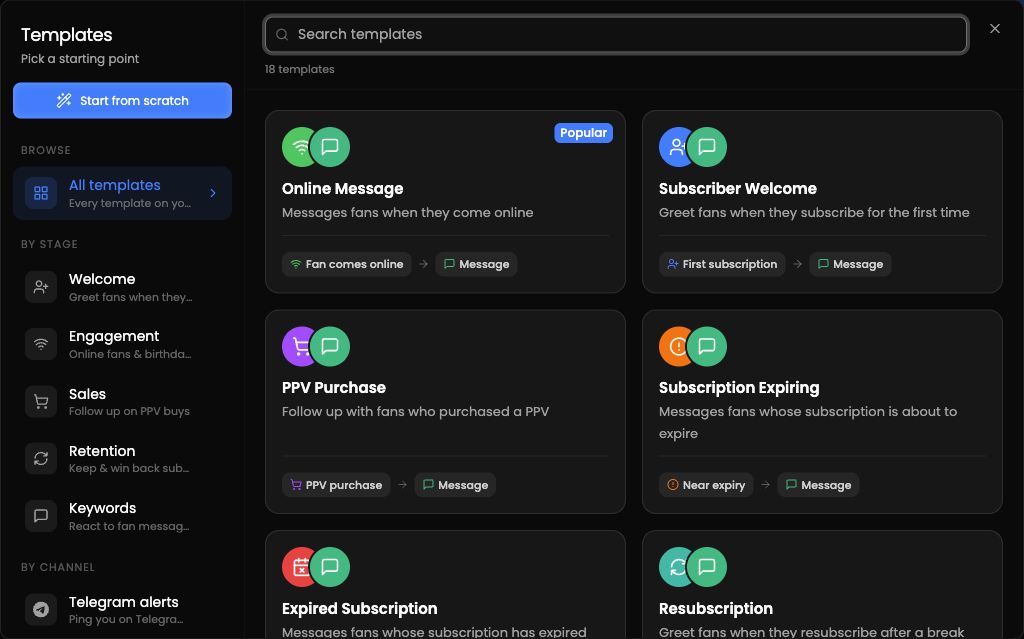
Choose a template or Start from scratch. Templates that do not match the creator's current plan or platform may be hidden or locked.
In the visual builder:
Enter an automation name.
Choose a trigger.
Set the audience.
Set timing and frequency. If the automation is scheduled, choose a future date and time.
Add one or more actions and complete their required details.
The current actions are Send Message, Stop AI, Notify Employee, and Add to List.
Create New Automation becomes available after the name, trigger, action, required action details, and any required future schedule are complete.
Preview as fan is available for message automations. Simulate performs a dry run without sending messages.
