Select a creator, then open CRM > Scripts to control when a script is available and make a copy for reuse. Editing, ordering, and importing scripts requires the corresponding assigned access.
Select the creator you want to work on.
Open CRM > Scripts and find the script. Search checks its name and description, and the available filters can include All, AI, Manual, Scheduled, and Invalid.
Open Edit script and use Status to make the script active or inactive.
AI mode makes the script available for AI use, and Manual mode makes it available to chatters. You can enable either one or both. Custom delays controls timing and is not a third script mode.
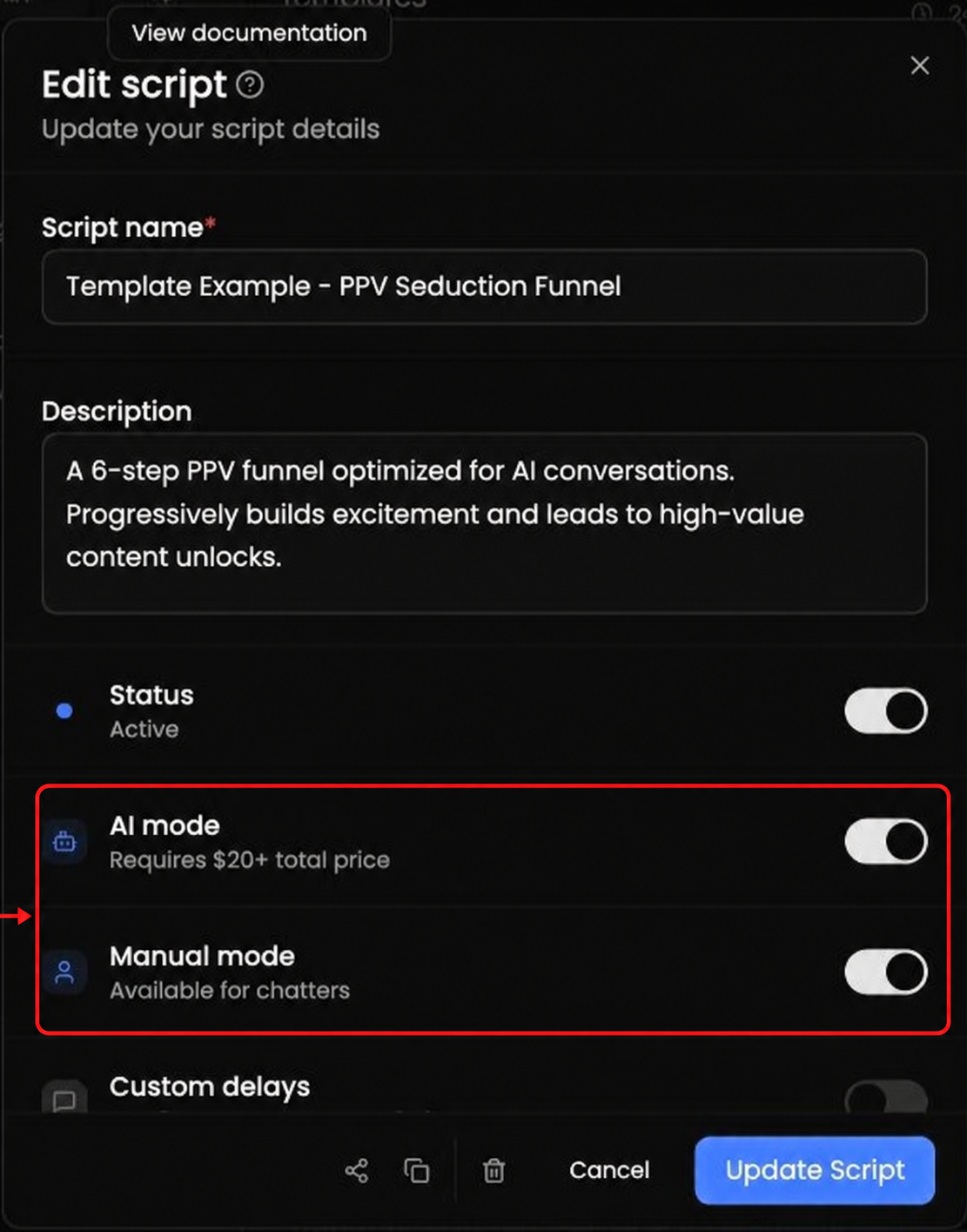
Custom delays lets you configure timing for individual templates.
Schedule leaves the script available 24/7 or limits it to the time window you select.
Use Linked lists to limit the script to fans in the selected lists when the creator's platform supports lists.
If a script is shown as Invalid for AI, follow the readiness guidance displayed for that creator. Check that the script is enabled, has at least one message template, has the required mode enabled, and meets the total-price minimum shown in the interface.
Drag script rows to change their priority. The visible ordering guide treats eligible scripts from top to bottom, so place the scripts you want considered first near the top.
Choose Duplicate script on the script you want to reuse.
Open the inactive copy and review its name, settings, templates, and media.
Enable the copy only after it is ready.
Select the creator who should receive the copy, then choose Add New Script.
Choose Import from ID and use the source script's Copy script ID control, or choose From one of my creators when that option is available to you. Add New Script also includes From Scratch for a new script.
The import views can support more than one script selection. Follow the instructions shown in the dialog.
Review every imported copy before enabling it. Attach creator-specific media where needed; do not assume that every media item transfers between creators.
