Open Team, then Roles, to create a custom role when Add role is available. After creating it, assign it from Members or select it when sending an invitation.
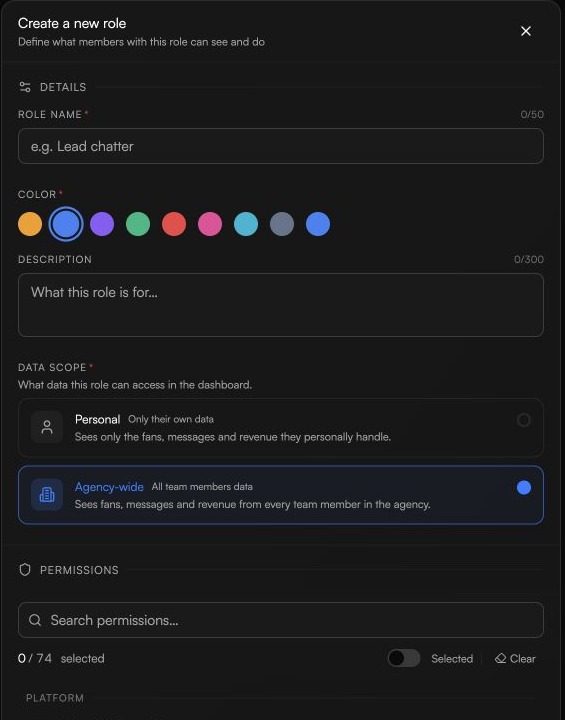
Open Team, then Roles. If Add role is available, choose it to open Create a new role.
Enter a unique role name, choose a color, and optionally add a short description.
Under Data scope, choose Personal or Agency-wide based on how broadly the role should see team data.
Select at least one readable action choice for the role, then choose Create role.
When Duplicate is available on a role you are allowed to manage, use it to start a copy. Rename the copy, review its data scope and action choices, then create it.
For an existing member, open Members and choose the new role in that member's role control when it is available.
For a new member, select the available role while sending the invitation.
If Add role, Duplicate, or assignment controls are unavailable, ask the workspace owner to review your access.
