Substy provides a full-featured story editor that lets you create visually rich stories directly from the dashboard — no need to switch to OnlyFans. The editor includes text overlays, stickers, GIFs, emoji, @mentions, interactive questions, and blur tools, all with a drag-and-drop canvas.
Stories are available for OnlyFans creators only.
Navigate to the Creator Profile page and select the Stories tab from the sidebar.
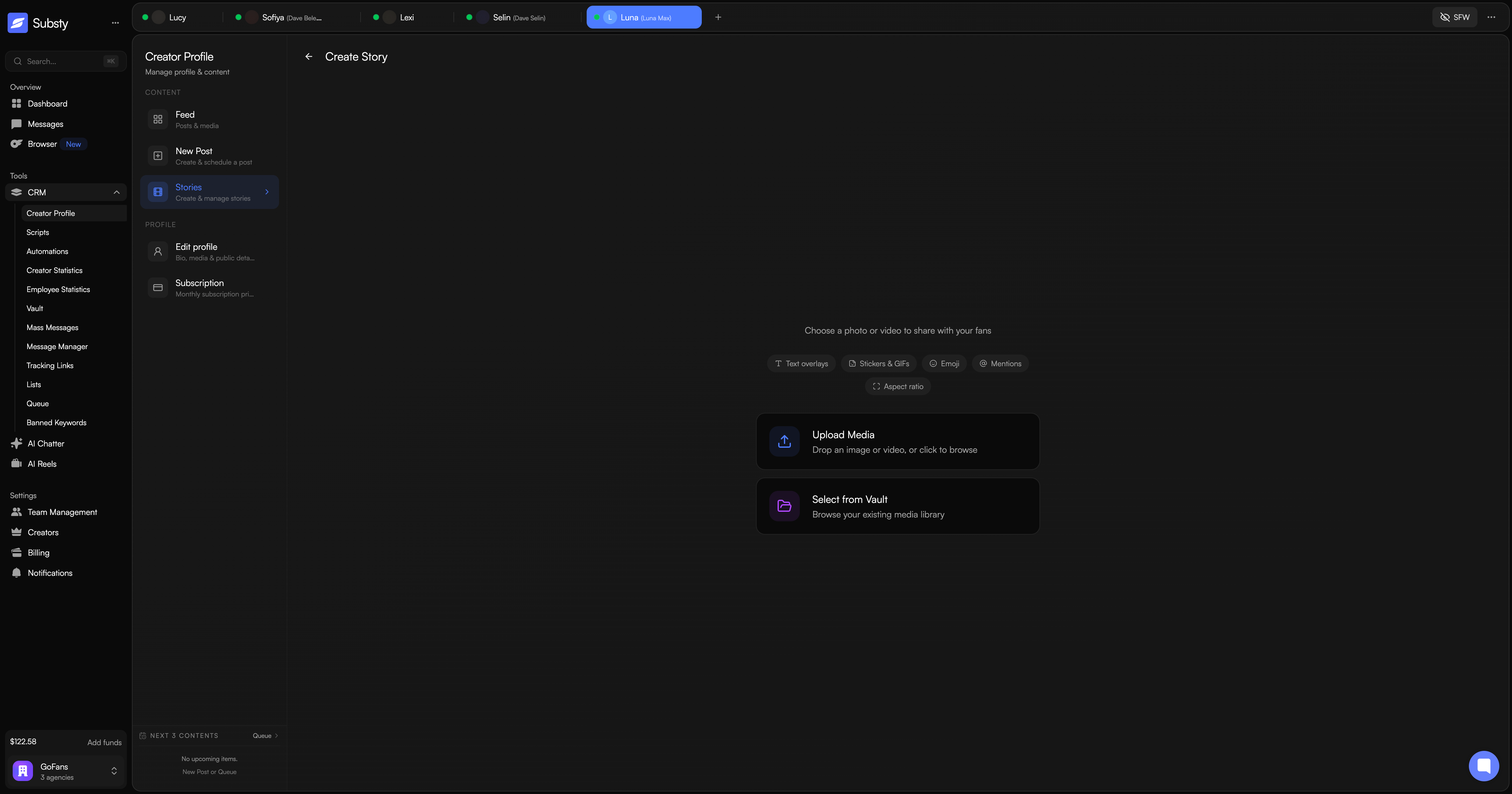
The creation process has three steps:
Drag and drop an image or video, or click to browse your files.
You can also select media from your existing Vault library.
One media file per story.
For photo stories, the visual editor opens with a full editing canvas. The toolbar at the bottom gives you access to:
Text — Add text overlays with customizable fonts (Roboto, PT Mono, Shantell Sans, Sofia Sans, and more), sizes (12px–72px), colors, alignment, and background colors. Drag to position anywhere on the canvas.
Emoji — Browse and add emoji from a full emoji library.
GIFs — Search Giphy and add animated GIFs as overlays.
Stickers — Choose from 13 pre-designed sticker packs including smiley faces, hearts, and reactions.
Mentions — Tag other creators with @mentions. Start typing a name and select from the autocomplete results.
Question — Add an interactive question sticker (e.g., "Ask me a question") that fans can respond to.
Blur — Pixelate or blur sensitive areas of the image.
You can change the aspect ratio of your story: 9:16 (default, recommended), 2:3, 3:4, 1:1, or keep the original ratio.
All overlays can be dragged, resized, and rotated directly on the canvas. Select any element and press delete to remove it.
For video stories, you get a preview player to review your video before posting. Videos are posted as-is without canvas editing.
Click the post button to publish your story. You can optionally save the edited version to your Vault for future use. The story goes live on OnlyFans immediately.
Active stories appear in the Stories bar at the top of the Feed tab. Click to open the full-screen story viewer:
Progress bars at the top show how many stories are active and which one you are viewing.
Photos display for 5 seconds before auto-advancing. Videos play in full before moving on.
Click the left or right half of the screen to navigate between stories, or use arrow keys.
Press spacebar or click the pause button to pause on a photo story.
Each story shows its view count, likes, comments, and tips received.
While viewing a story, open the menu (three dots icon) and select Delete. You will be asked to confirm before the story is removed from OnlyFans.
